Foreword 2026
This article was originally written in June 2021. At the time, I was hopeful that mobile–desktop convergence was slowly approaching. Four years later, it makes sense to briefly recap the current state:
- Samsung DeX is still the most mature attempt, but I cannot use it for truly productive work.
- The experimental Android desktop UI remains just that — experimental. It is slowly rolling out to a handful of devices, but given that four years have passed, I would have expected desktop mode to be commonplace by now. Apparently, this is not a priority for Google.
- Linux convergence feels to me almost as immature as it did four years ago. There has been some progress, but community-driven development is simply much slower than development backed by large corporations.
Over time, I came to the conclusion that full convergence is likely unattainable. We may reach 70–80 percent, but smartphones will probably never fully replace laptops — especially for heavy workloads such as video editing or serious software development.
So where does that leave my NexDock in 2026? Mostly unused. I have used it sparingly over the years. Raspberry Pi, as cool as it sounds, is not a good foundation for a desktop computer. In practice, NexDock ended up serving primarily as a secondary monitor — and only occasionally.
The base price of NexDock seems reasonable, but once shipping fees and European taxes are added, it quickly approaches the cost of a refurbished corporate laptop, which often offers better overall value.
I continue to observe the market. For now, convergence remains a dream — and it is possible that startups and communities are trying to solve a problem that does not truly exist.
Time will tell.
I have a dream — a long-lasting dream to use my mobile phone as a Linux laptop. So wherever I go, I can just plug my phone into a dock, and have all my work with me all the time. I don't want to use multiple devices. With projects like UBPorts, my dream is slowly becoming a reality, but there's still a long way ahead of us. Today, I'll show you NexDock, which is a laptop powered by a smartphone or Raspberry Pi.
Pursuit of convergence
Companies like Microsoft and Canonical worked on convergence for a long time. So when you plug your phone into a big screen, the user interface will transform itself into a desktop.
In 2015, I bought a Lumia 950. It was a phone from Microsoft, which had a dock into which you could plug your external display, keyboard, and mouse, and which offered a desktop-like Windows experience with some limitations.
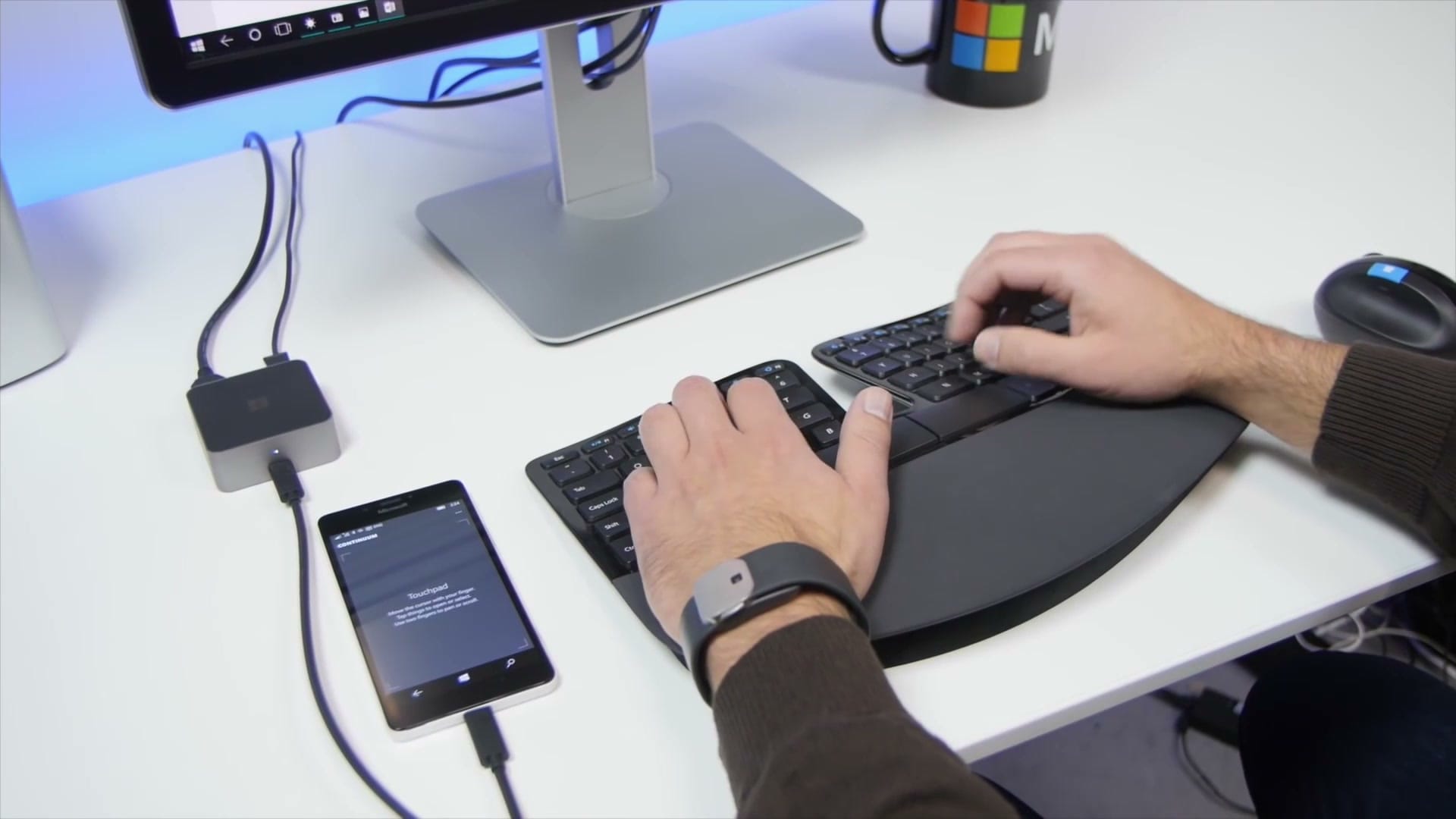
It was a step in the right direction, but the experience was not very good. Canonical, the creator of the Ubuntu Linux distribution, had a similar vision. They wanted to adapt Ubuntu to mobile phones, and to turn them into fully-usable computers when connected to a dock.
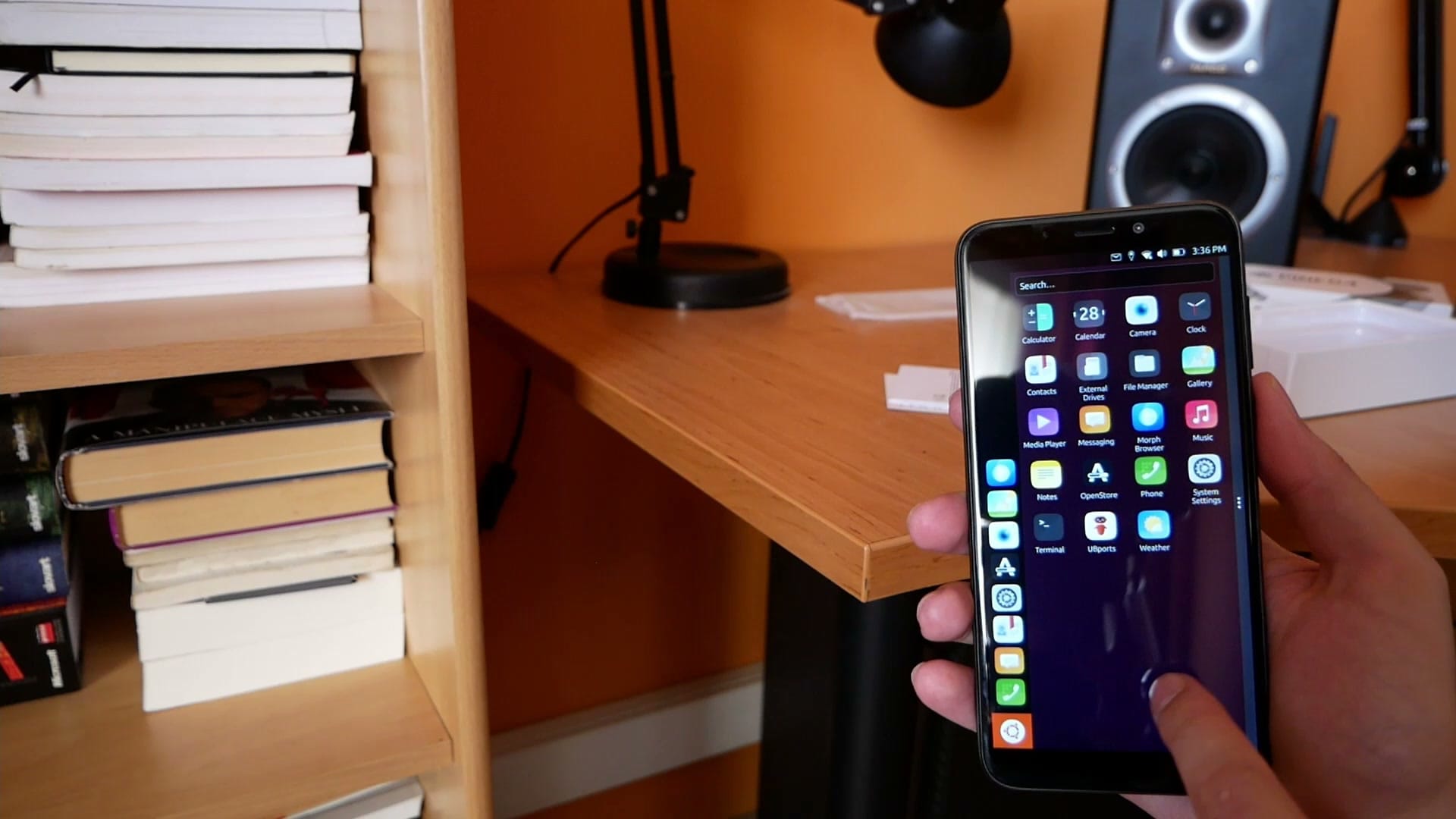
Ultimately, they abandoned the idea, but the project still lives thanks to the community and the folks from UBPorts. And there are other groups with similar effort, like Plasma Mobile.
In 2018, three years after the Lumia 950 was released, Samsung came with their solution called DeX. For the original version, you had to buy custom accessories; later a simple USB-C to HDMI adapter was enough. For quite some time, Samsung even provided a way to run Linux on your phones. Sadly, their solution was abandoned in October 2019.
Samsung DeX might be a viable solution, but it is bound only to Samsung devices. But nowadays, all modern Android smartphones are capable of HDMI output through their USB-C ports. Android 10 came with a hidden desktop mode, which introduced this desktop experience to a handful of non-Samsung phones. Back in the day, this mode was highly experimental. You could turn it on only through Developer options. But this mode is getting some care, and over time more and more upcoming mobile devices will offer decent support for it out-of-the-box.
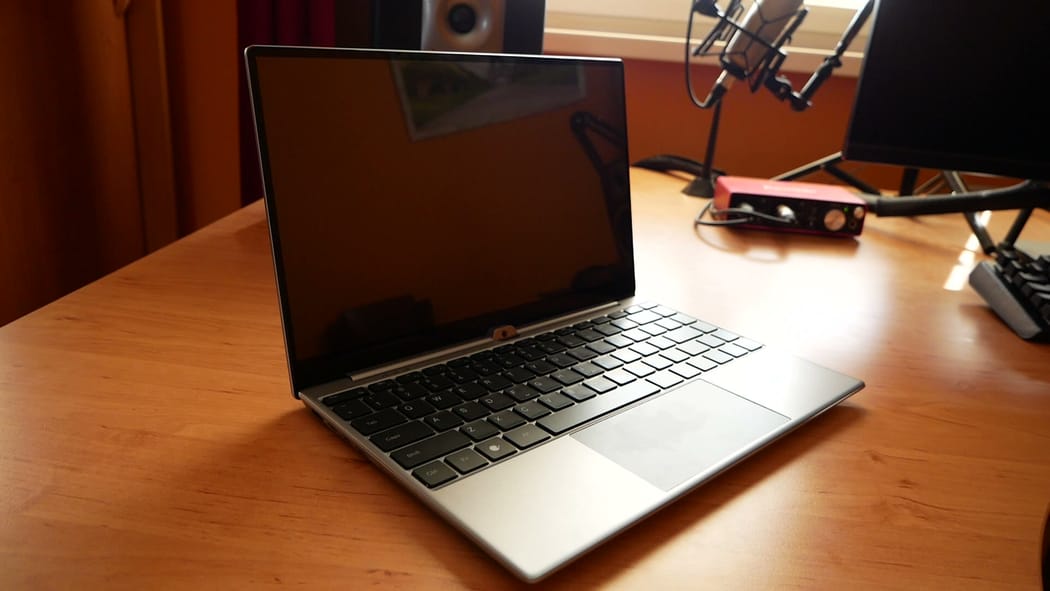
And here we come to NexDock. It's just a display with a keyboard, touchpad, and its own battery. All this is packed in an aluminum chassis reminding of ultrabook laptops. Sadly, my phone, OnePlus 6T, doesn't support HDMI output, so I have no experience with this desktop mode. Someone might think NexDock serves as a paperweight, but they are wrong. NexDock also supports Raspberry Pi minicomputers, which I have plenty. Let me show you how it all works.
Meet NexDock
I bought a model called NexDock Touch. It's currently sold-out, but you can pre-order NexDock 360. NexDock resembles ultrabooks in many ways. On the left side, you can find a couple of USB-C ports, and one input HDMI port. You can use that when your device can't send image over USB.
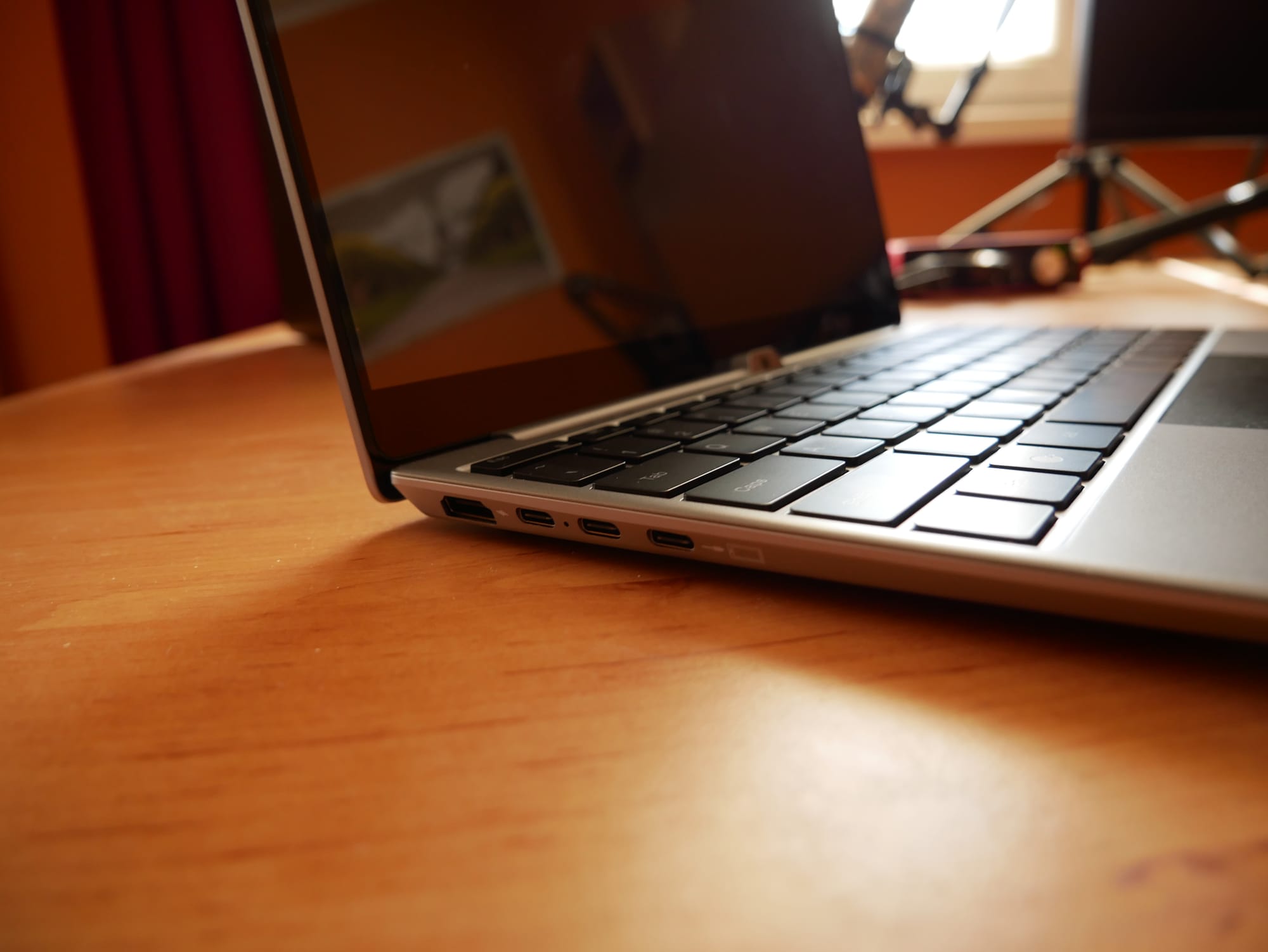
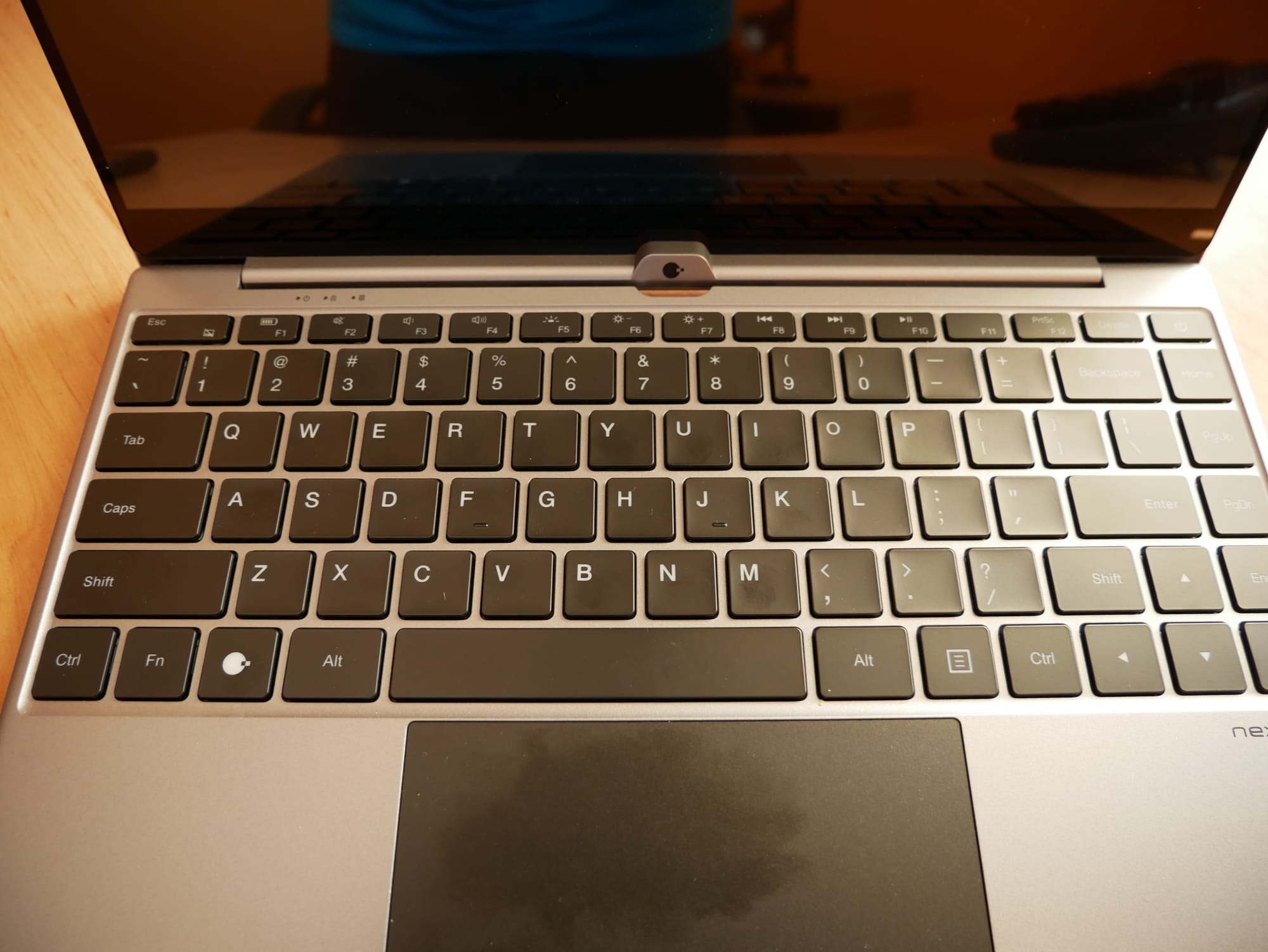
On the right side is a single USB-A port and a headphone jack. I was pleasantly surprised by a keyboard, which has a nice grip, and its keys are quite big.
Part of the accessories are a power charger, necessary cables, and adapters. All you really need to hook up your device.
The connection varies based on the device you have. NexDock gives you a nice brochure. Also, on their website, you can find the list of all supported devices. You need to connect Raspberry Pi 4 using two cables, while one of them is a special Y-splitter. However, if you add one line into the configuration file, you can use a standard USB-C cable instead of this splitter. Just edit the /boot/config.txt file. When you're familiar with Raspberry Pi minicomputers, you know your way around.
# USB Type-C Host
dtoverlay=dwc2,dr_mode=host
As you might know, the Raspberry Pi 4 has microHDMI output, so you also need an adapter to full-sized HDMI. It is also included in the accessories.
On the Raspberry Pi, I installed the latest Raspberry Pi OS. Ubuntu will also work well, even Windows 10 for ARM should work just fine. I didn't test it though.
At the moment, I use NexDock primarily as a portable display for Raspberry Pi. It works just fine for that purpose.
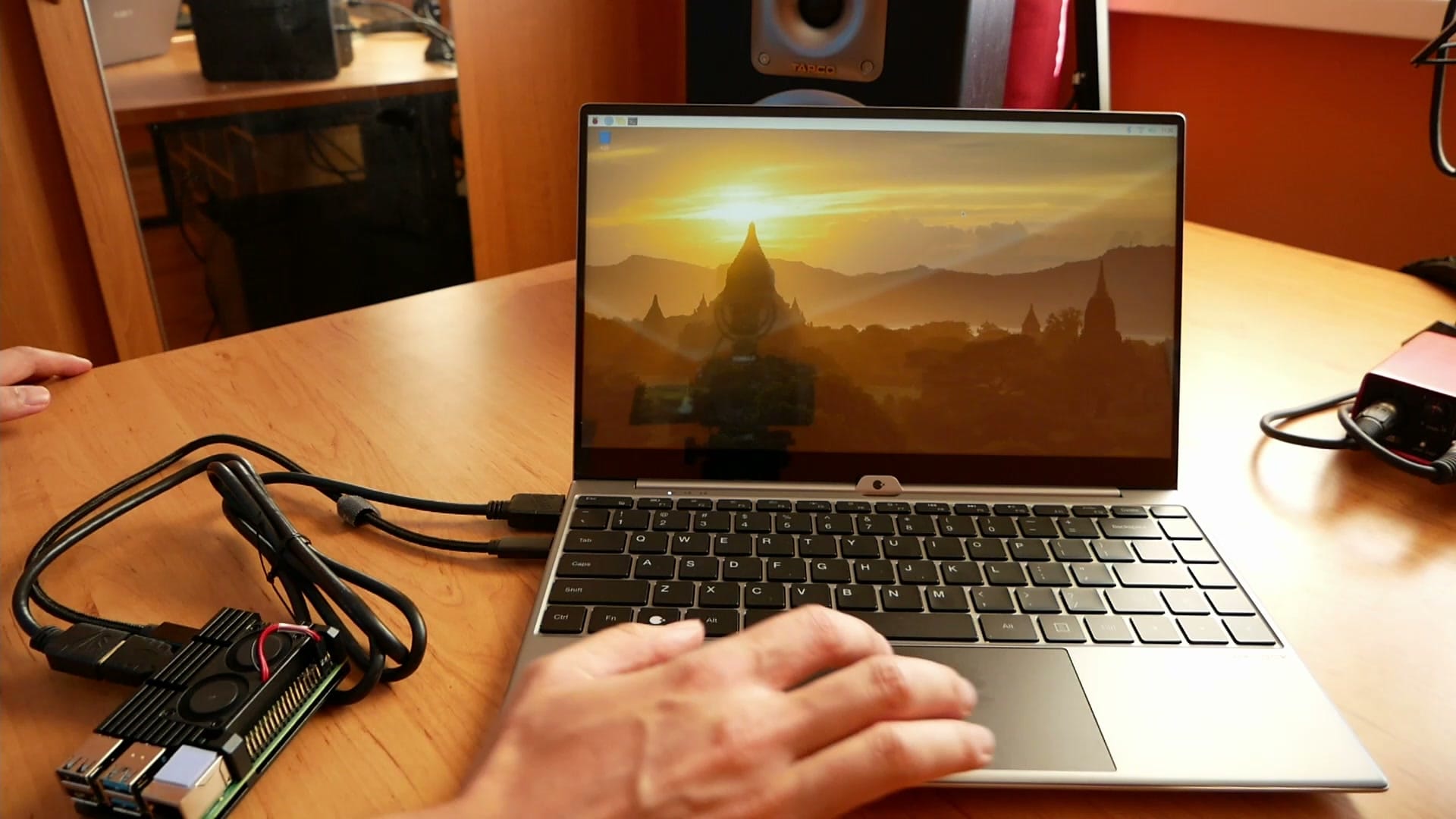
If there were no visible Raspberry Pi connected to the dock, you would feel that you are working with a real laptop. It has working Fn keys, brightness, and volume controls. All the bells and whistles you're used to. Especially if you're an embedded developer like me, such a solution saves your time tremendously. You don't have to disconnect your existing display, keyboard and mouse from your computer. Doing this repeatedly is a bummer.
Nothing is perfect
Surprise, surprise! NexDock is not perfect. While it works OK most of the time, I found several use cases where it failed me. I wanted to use my NexDock as a monitor, which I can hook up to my digital camera. The input HDMI port is picky, so I managed to get it to work only once. Also, when you connect just the HDMI, the brightness and volume controls don't work at all, at least on my model. The microHDMI-to-HDMI adapter is bad quality. It broke after a couple of uses. Luckily, these adapters are dirt cheap and easy to find. Imperfections like this bother me, but I still think it's a valuable device for a certain niche.
Conclusion
Using my mobile phone instead of my laptop makes sense to me. The performance of smartphones is more than enough for common tasks. NexDock is a decent piece of hardware, and it can serve you well on your travels.
What do you think about convergence? Does it make sense for you to use your phone instead of your laptop? Let me know in the comments.