Years ago, I worked for a company building map software.
My team was small, which gave us a lot of flexibility. We could move fast, experiment, and build internal tools when the standard workflows were not enough.
At first, I learned how to run our code in AWS, inspect results, debug jobs, and understand the surrounding infrastructure. Later, as I became more comfortable with the official AWS CLI, I started thinking about automation.
The timing was perfect.
Just when I began forming an idea for an internal tool, another colleague joined the team and independently came to the same conclusion.
So we joined forces and built a tool called cajctl.
At first, it was just a practical internal utility. But once it proved useful, other developers started contributing too.
It has been years, but I believe some of that code may still be used somewhere out there.
That tool taught me an important lesson:
Sometimes a custom tool is better than bending universal tools into the shape of your workflow.
cajctl called AWS APIs, but that was only part of its value.
It also performed transformations, validations, visualizations, and other team-specific operations we needed repeatedly.
It was not a generic tool.
It was a tool shaped around how our team actually worked.
Fast-forward to 2026.
My client runs a SaaS product called Eledo. I needed to write custom scripts for GitHub Actions. I will cover that use case in a follow-up article.
But soon I realized I had seen this pattern before.
Instead of writing disconnected scripts, I could build a proper tool.
That is how eledoctl started.
Introducing eledoctl
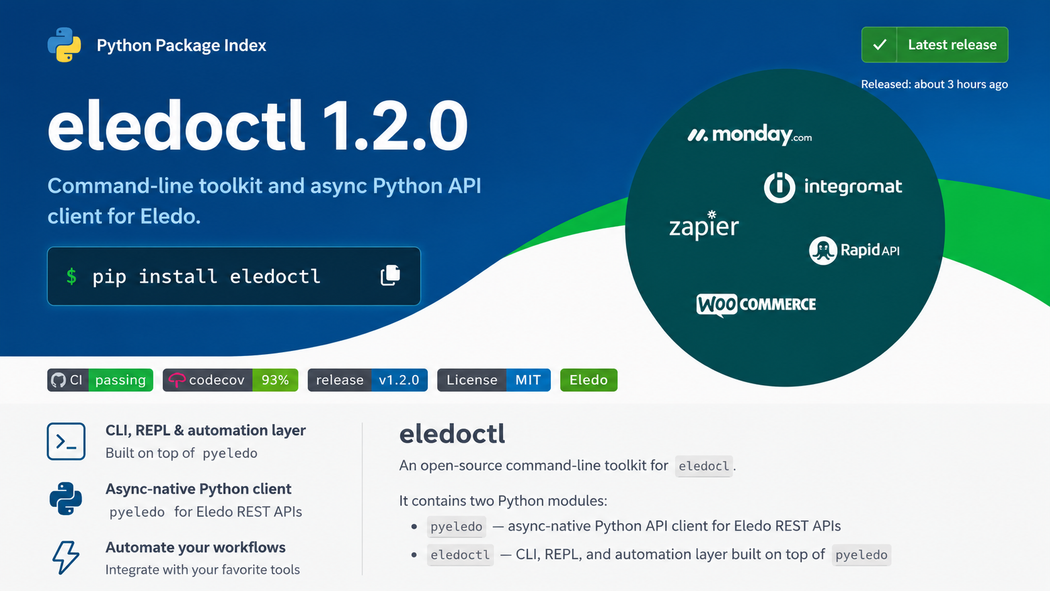
eledoctl is a command-line tool for Eledo.
The first public version focuses on the most important flows:
- authentication,
- checking the user profile,
- listing templates,
- generating PDF documents.
The tool is written in Python.
I chose Python because it is simple, familiar, and well suited for infrastructure tooling. For the CLI interface, I used Click. For HTTP communication, I used httpx. For configuration and structured data, I used the usual Python ecosystem around JSON and YAML.
In the future, I may add an interactive REPL similar to what tools like pymodbus provide.
But only if the tool finds real users who need that workflow.
The goal was not to build a toy.
The goal was to build something useful enough for production from the beginning.
Async from the Start
One advantage of building a new tool is that you do not carry historical baggage.
So I decided to make the architecture asynchronous from the start.
Every I/O operation is async.
Today, Python’s async ecosystem is mature enough for this to be a reasonable default in modern API tooling. There was no good reason to design the wrapper around blocking calls first and retrofit async later.
This also keeps the underlying SDK clean.
The CLI is only one user of the API layer.
Other users may appear later.
The n8n Community Node Became a Blueprint
A few months before building eledoctl, my Eledo n8n community node was approved.
That earlier project helped a lot.
It forced me to understand the Eledo API, its constraints, and the correct product flows. It also helped me make several architectural decisions before the CLI existed.
When I started building eledoctl, I already had working TypeScript code from the n8n node. That code included API calls, comments, edge cases, and implementation constraints.
I also had a test suite with documented API behavior from the earlier development.
So the n8n node became a blueprint.
I used ChatGPT to help me write code faster, but this was not blind code generation. I would call it AI-assisted development.
I reviewed the output.
I shaped the architecture.
I decided what belonged in the SDK and what belonged in the CLI.
I made sure the functionality was tested.
Because the API behavior was already understood, I could build the first useful version in about a day. Then I spent another couple of days preparing it for public release: repository structure, CI, packaging, and automated publishing to PyPI.
The speed was possible because this was not the first time I touched the problem.
It was a second implementation of a product surface I already understood.
A CLI Is Not a Classical Integration
Most SaaS products give you a web interface.
Some give you an API.
Many add integrations with popular platforms.
But far fewer provide a dedicated CLI tool.
That is a missed opportunity.
A CLI is not just another integration.
It is a different kind of interface for a different kind of user.
Eledo is a SaaS product for programmatic PDF document generation. Developers, system administrators, automation engineers, and infrastructure people are all potential users.
For them, a CLI is not a nice-to-have.
It can be the fastest path from idea to working automation.
eledoctl
Usage: eledoctl [OPTIONS] COMMAND [ARGS]...

  Command-line toolkit for Eledo.

Options:
  -h, --help  Show this message and exit.

Commands:
  documents  Document generation commands.
  internal   Internal Eledo operational tooling.
  login      Authenticate eledoctl with an Eledo API token.
  profile    Fetch current Eledo profile.
  templates  List Eledo templates.
The first useful test of any CLI: can a technical user understand what it does from --help alone?
Where is a CLI useful?
First, testing.
If I want to generate a document, pass in data, and inspect the result, a CLI is often faster than writing a script or opening a web interface.
Second, automation.
A CLI fits naturally into shell scripts, CI/CD pipelines, cron jobs, GitHub Actions, Makefiles, deployment workflows, and internal tools.
For example, one process can collect data, transform it, and then pass it into eledoctl to generate a PDF.
That is why I made input flexible.
eledoctl supports JSON in several forms:
- inline JSON,
- JSON from a file,
- JSON passed through standard input,
- simple custom fields for smaller use cases.
In other words, developers and system administrators were first-class citizens.
Because I was building this tool for them.
I was the target audience.
Designed for Production, Not Verbosity
It was not my goal to support every possible API operation immediately.
That would make the tool larger, noisier, and harder to understand.
Instead, I focused on the most common production flows and intentionally hid everything that did not belong in the first CLI version.
The result is a small command set:
- login,
- profile,
- template listing,
- document generation.
That is enough to make the tool useful.
More functionality can be added later, but the first version is already production-ready for its core purpose.
This is an important principle when building internal or developer-facing tools:
A CLI should not expose everything just because the API can do everything.
A good CLI should expose the workflows users actually need.
pyeledo and eledoctl
The repository contains two packages:
This split is intentional.
pyeledo is the API wrapper.
eledoctl is the command-line interface built on top of it.
The API wrapper does not know anything about user interaction, terminal output, or command structure. It is the reusable lower layer.
The CLI is the product surface for terminal users.
This separation gives us options.
Today, the CLI is the main artifact.
But in the future, pyeledo could be published or used directly by developers who want to integrate Eledo into their own Python applications and tools.
That is the benefit of not mixing concerns too early.
Unit Tests Capture Behavior
I do not like unit tests written only for the sake of having tests.
Tests should have a job.
For eledoctl, the primary job was to capture behavior and prevent regressions as the tool evolves.
I instructed ChatGPT accordingly while building the test suite:
The point was not to create artificial test coverage.
The point was to document how the tool should behave.
Then I added real-world fixtures to validate the implementation more thoroughly.
This gave me confidence.
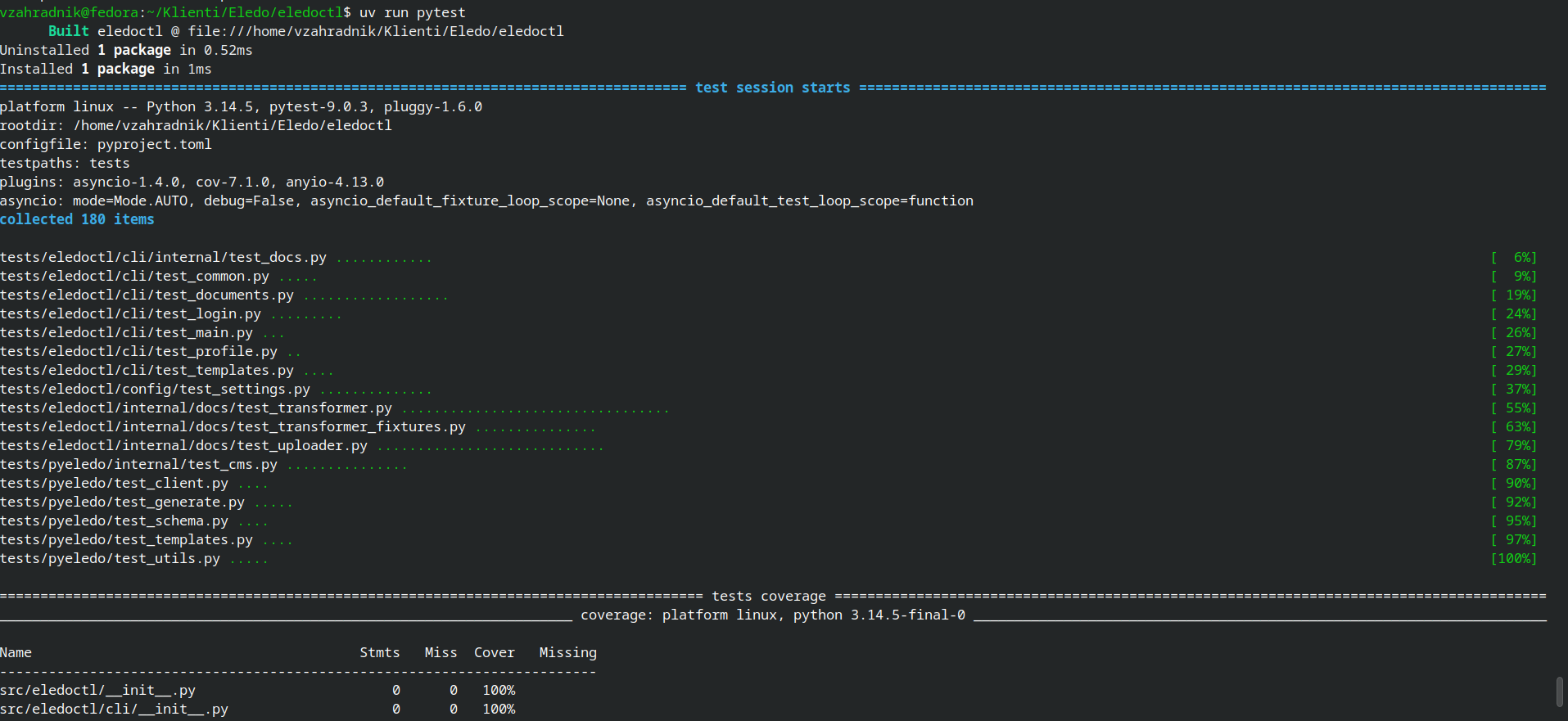
Without those tests, I would not be comfortable publishing the tool publicly.
When a CLI is used in automation, regressions are not just annoying. They can break someone’s workflow.
So behavior matters.
Why Every SaaS Should Consider a CLI
Not every SaaS needs a CLI on day one.
But many SaaS products would benefit from one sooner than their teams realize.
A CLI can make the product easier to test.
It can make the API easier to understand.
It can support developers and infrastructure users.
It can become part of CI/CD pipelines.
It can reduce the need for repeated custom scripts.
It can turn a SaaS product into something that fits naturally into automated workflows.
Most importantly, it shows respect for technical users.
A web UI is good for humans clicking around.
An API is good for developers writing integrations.
But a CLI sits in the middle.
It is human-readable enough to use directly and machine-friendly enough to automate.
That makes it a powerful product surface.
Conclusion
eledoctl started as my own initiative.
The development cost was entirely on me, so I decided to release it as a fully open-source project under the MIT license.
The installation instructions and full source code are available in the Eledo GitHub repository:
https://github.com/eledo-online/eledoctl
In the follow-up article, I will cover the use case that made me build this tool in the first place.
That story goes one layer deeper: a custom Markdown transformer, GitHub Actions, and a documentation uploader.
If lower-level automation and developer tooling interest you, the second part will be about that.